Assignment Tracker Spreadsheet
C$8.00
Buy now
Sales tax, VAT or GST is added at checkout where it applies.
Also sold in our Etsy shop: view on Etsy
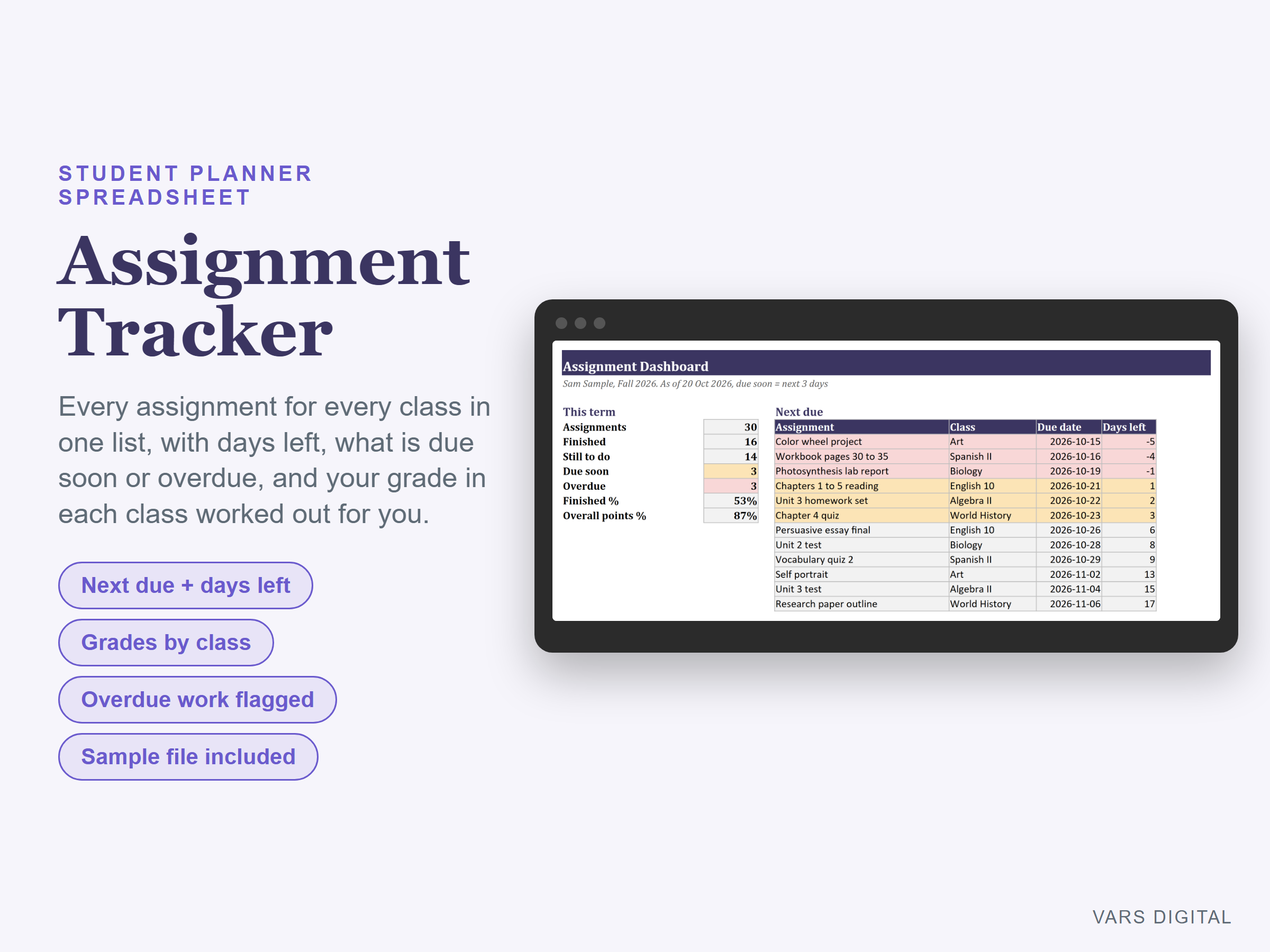
Assignment tracker spreadsheet for students: every assignment for every class in one list, with the days left to each due date worked out for you. The dashboard shows what is due next, what is overdue and your grade in each class.
WHAT IT DOES
- Assignments tab: class, assignment, type (homework, reading, quiz, test, essay, project, lab, presentation, exam), due date, priority (high, medium, low), status (not started, in progress, done, turned in, missing), points earned, points possible and notes
- Days left worked out for every unfinished assignment. Rows turn amber when an assignment is due soon (you choose how many days), red when it is overdue and green when it is finished
- Grades tab: for each class, the number of assignments, finished, still to do, overdue, points earned and possible, grade % and a letter grade from a scale you can edit (add plus and minus grades if your school uses them)
- Dashboard: assignments, finished, still to do, due soon, overdue, finished % and overall points %, your next 12 assignments due with overdue work first, grades and open work by class, and two charts (grade % by class, still to do by class)
- Settings: your name, the term, up to 12 classes with teachers, assignment types, statuses and the grade scale
- Room for 12 classes and 500 assignments
WHAT YOU GET
- Assignment-Tracker.xlsx (blank)
- Assignment-Tracker-with-Sample-Data.xlsx (a made-up example: 6 classes and 30 assignments in a fall term)
- Quick-start guide (PDF)
HOW YOU GET IT
Digital download. After checkout you get a download page right away, plus a receipt by email. Nothing is shipped.
COMPATIBILITY
- Microsoft Excel 2016 or newer (Windows or Mac) and Excel for the web
- Google Sheets: upload the .xlsx to Google Drive and open it (File > Save as Google Sheets for a native copy)
- Needs a computer or tablet with a spreadsheet app. This is not an app or a printable planner, and it does not connect to your school's learning platform or send reminders
GOOD FOR
High school and college students who want every class, due date and grade in one place, and parents helping a student stay on top of schoolwork.
PLEASE NOTE
- Grades here are points earned out of points possible. If your teacher weights categories (tests 50%, homework 20% and so on), your official grade can be different: check your school's grade portal
- An organizing tool. It is not connected to or endorsed by any school or learning platform
- For your own personal use; please don't resell or share the files
DISCLAIMER
This template is a planning tool and does not replace advice from a qualified or licensed professional (such as an accountant, financial advisor, lawyer or certified tradesperson). Check the results before you rely on them.
HOW IT WAS MADE
Designed by VARS Digital with AI-assisted tools. Every formula is checked before release, and the sample file shows each tab working.
QUESTIONS
Email varsdigitals@gmail.com and we'll help you get set up.