Attendance Tracker
C$8.00
Buy now
Sales tax, VAT or GST is added at checkout where it applies.
Also sold in our Etsy shop: view on Etsy
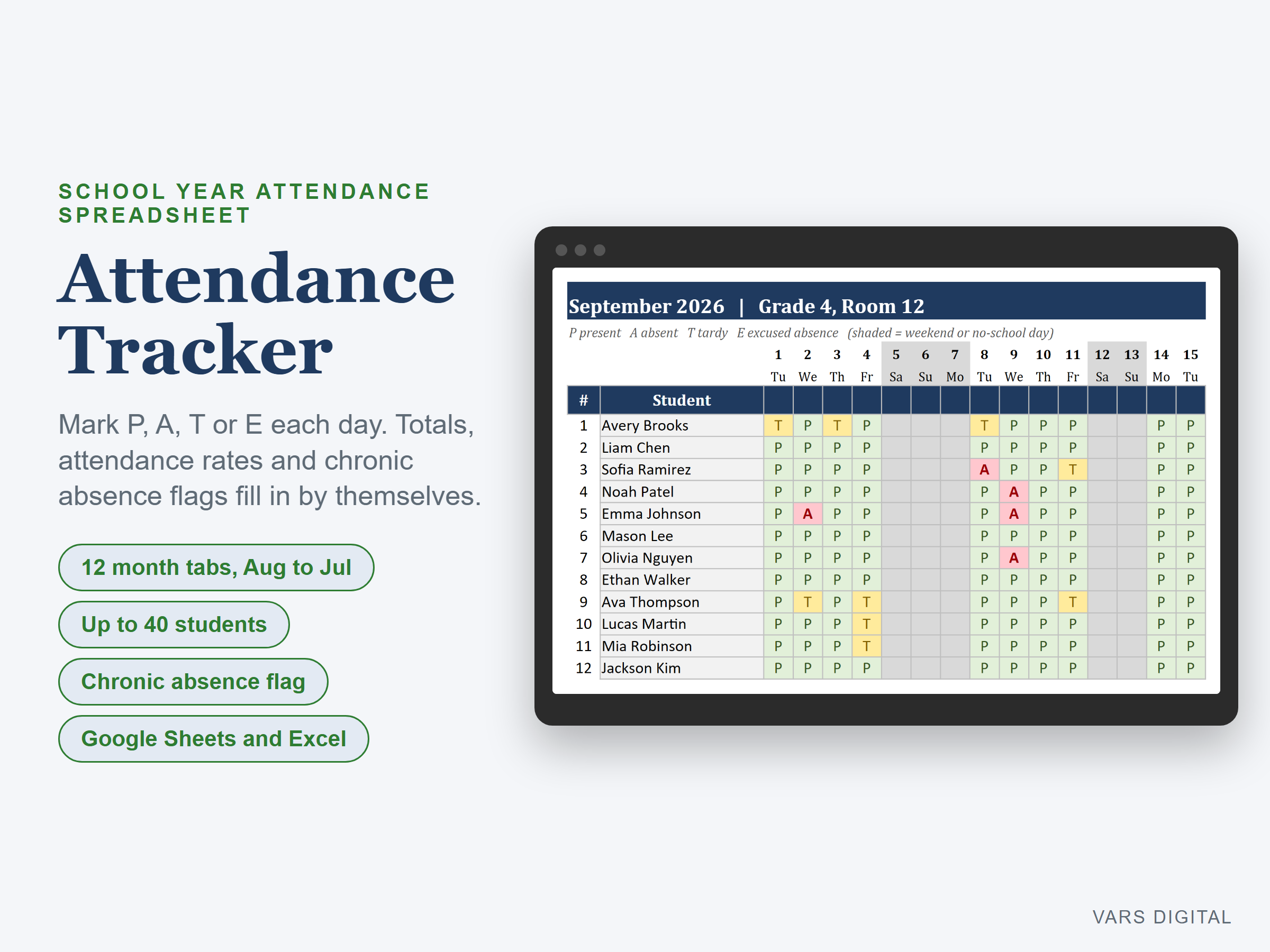
Attendance tracker spreadsheet for a whole school year: one tab per month from August to July, up to 40 students, and a Year Summary that totals everything for you. Works in Excel and in Sheets.
WHAT IT DOES
- Setup once: class name, the year your school year starts, your roster and your no-school days
- Month tabs set their own dates and weekdays. Weekends and no-school days are shaded
- Mark each day P (present), A (absent), T (tardy) or E (excused absence), typed or picked from a list
- Each row shows the month's P, A, T and E counts, days marked and attendance rate
- Year Summary: totals per student, attendance rate, absence rate and a Chronic absence flag at your threshold (10% to start), plus the class rate month by month with a chart
- Choose whether a tardy counts as present
- Rates use only the days you marked, so a student who joins mid-year isn't counted absent before they started
WHAT YOU GET
- Attendance-Tracker.xlsx (blank, ready for your class)
- Attendance-Tracker-with-Sample-Data.xlsx (a filled-in example: 20 made-up students, August to October marked)
- Quick-start guide (PDF)
HOW YOU GET IT
Digital download. After checkout you get a download page right away, plus a receipt by email. Nothing is shipped.
COMPATIBILITY
- Microsoft Excel 2016 or newer (Windows or Mac) and Excel for the web
- Sheets: upload the .xlsx to Drive, open it, then File > Save as Google Sheets
- One class or group per copy; reusable next year by changing the year
- Needs a computer or tablet with a spreadsheet app. This is not a printable and it does not connect to your school's system
GOOD FOR
Teachers, homeschool families, tutors, coaches and club leaders who want daily attendance, totals and absence flags in one file.
PLEASE NOTE
Your school's official attendance system and policies come first. For your own classes or groups; please don't resell or share the files.
DISCLAIMER
This template is a record-keeping tool. Check the results before you report them.
HOW IT WAS MADE
Designed by VARS Digital with AI-assisted tools. Every formula is checked before release, and the sample file shows each tab working.
QUESTIONS
Email varsdigitals@gmail.com and we'll help you get set up.