Checkbook Register Spreadsheet
C$7.00
Buy now
Sales tax, VAT or GST is added at checkout where it applies.
Also sold in our Etsy shop: view on Etsy
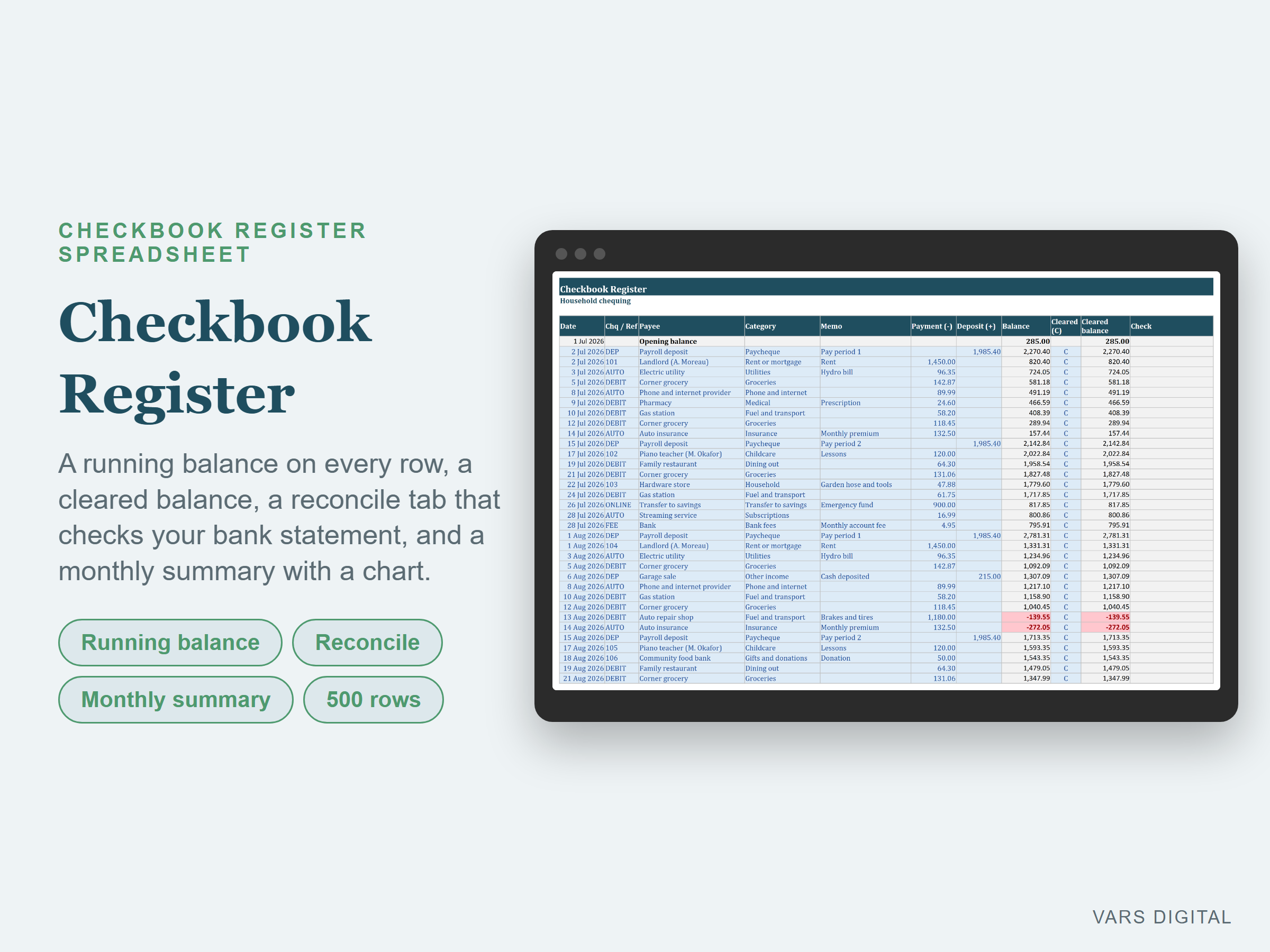
Checkbook register Excel spreadsheet, also for Google Sheets, for one bank account: a running balance on every row, a cleared balance, a reconcile tab that checks your register against your bank statement, and a monthly summary with spending by category and a chart.
WHAT IT DOES
- Setup tab: type the account name, the opening balance date and the opening balance from a bank statement. Optional: your first cheque number and the year for the monthly summary. Edit the list of up to 20 categories
- Register tab: one row per transaction with the date, cheque or reference number, payee, category (drop-down from your list), memo, and the amount as a payment or a deposit. The running balance updates on every row and turns red when it goes below zero
- Cleared column: type C for items that appear on your bank statement. The cleared balance updates on every row
- Check column: flags a row with both a payment and a deposit, an amount with no date, a minus sign, or a date before the opening date
- Summary box: current balance, cleared balance, total deposits and payments, number of transactions, items not cleared yet, the next cheque number and the lowest balance
- Reconcile tab: type the statement ending date and ending balance. It shows the cleared balance from your register, the difference, and "Balanced" or "Not balanced yet". Cheques, payments and deposits up to the statement date that have not cleared are totalled, counted and listed (the first 15), with a proof that the statement balance less outstanding payments plus outstanding deposits equals your register balance on that date
- Monthly Summary tab: deposits, payments, net, number of transactions and the balance at each month end for every month of the year you choose, a chart of deposits and payments by month, and payments by category for each month and the year
- Room for 500 transactions. The tabs are protected without a password, so formulas don't get typed over by accident (you can unprotect them any time)
WHAT YOU GET
- Checkbook-Register.xlsx (blank, ready for your account)
- Checkbook-Register-with-Sample-Data.xlsx (a filled-in example: a made-up household account with about 3 months of entries and a reconciled statement with one outstanding cheque and one outstanding deposit)
- Quick-start guide (PDF)
HOW YOU GET IT
Digital download. After checkout you get a download page right away, plus a receipt by email. Nothing is shipped.
COMPATIBILITY
- Microsoft Excel 2016 or newer
- LibreOffice Calc (tested)
- Google Sheets: upload the .xlsx to Google Drive, open it, then File > Save as Google Sheets
- Needs a computer or tablet with a spreadsheet app. This is not an app or a printable register. It does not connect to your bank: you type your transactions
GOOD FOR
People who still write cheques, anyone who wants a simple running balance for one chequing or savings account, and households or small businesses that want to reconcile their own records with the bank statement each month.
PLEASE NOTE
- One file tracks one account. Make a copy for each account
- The balances come from what you type, so check your entries against your bank statement
- The year on the Monthly Summary is this year until you type another one on the Setup tab
- For your own personal use; please don't resell or share the files
DISCLAIMER
This template is a planning tool and does not replace advice from a qualified or licensed professional (such as an accountant, financial advisor, lawyer or certified tradesperson). Check the results before you rely on them.
HOW IT WAS MADE
Designed by VARS Digital with AI-assisted tools. Every formula is checked before release, and the sample file shows each tab working.
QUESTIONS
Email varsdigitals@gmail.com and we'll help you get set up.