IEP Tracker Spreadsheet
C$15.00
Buy now
Sales tax, VAT or GST is added at checkout where it applies.
Also sold in our Etsy shop: view on Etsy
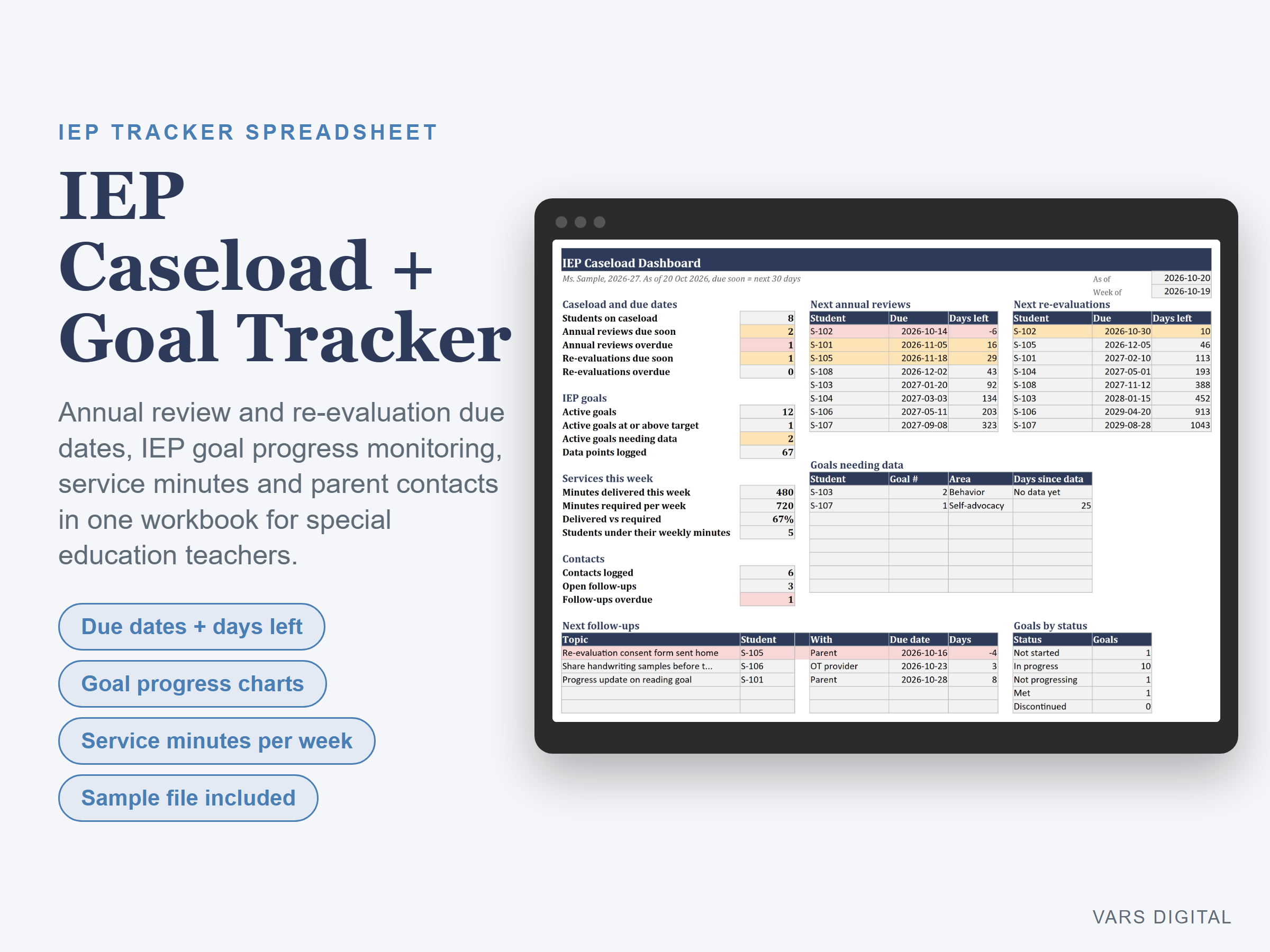
IEP tracker spreadsheet for special education teachers and case managers: every student's annual review and re-evaluation due dates with days left, every IEP goal with its progress monitoring data, the service minutes you deliver each week and your parent and team contact log, all in one workbook. The dashboard shows what is due soon, what is overdue and which goals need data.
WHAT IT DOES
- Caseload tab: one row per student (initials or ID), grade, homeroom, eligibility (optional), case manager, IEP meeting date, last evaluation date, required service minutes per week, key accommodations and notes
- Due dates worked out for you: annual review 1 year after the IEP meeting and re-evaluation 3 years after the last evaluation, with days left. Amber when due soon (you choose how many days), red when overdue. If your district counts the dates differently, type the real due date in the override column and it is used instead
- Goals tab: student, goal number, area (reading, writing, math, communication, behavior, social skills, fine motor, self-advocacy, functional skills, transition), a short goal description, baseline and target as percents, start date and status
- Progress monitoring for every goal: number of data points, last data date, latest score, average of the last 3 scores, progress to target and days since data. Goals with no data yet, or no data for longer than you choose (14 days to start), are flagged. Green when the average of the last 3 is at or above the target
- Data Log tab: date, student, goal number and the score as correct out of trials (7 out of 10) or a percent. Score % works itself out
- Goal Chart tab: pick a student and goal number to see the goal, baseline, target, latest score and progress, plus a chart of the last 12 scores against the target line, ready for progress reports and IEP meetings
- Service Log tab: date, student, service (specialized instruction, speech and language, OT, PT, counseling and more), minutes and setting (pull-out, push-in, consult). The caseload shows minutes this week against each student's required weekly minutes and flags anyone who is short
- Contact Log tab: calls, emails, notes home and meetings with families, teachers and providers, with a follow-up date. Open and overdue follow-ups show on the dashboard
- Dashboard: students on caseload, annual reviews and re-evaluations due soon and overdue, active goals, goals at target, goals needing data, data points logged, minutes delivered vs required this week, students under their minutes, open and overdue follow-ups, your next 8 annual reviews and re-evaluations, goals needing data, next follow-ups and a goals by status chart
- Settings: your name, school year, due-soon window, data window and editable lists for services, goal areas, goal statuses and contact methods
- Room for 60 students, 300 goals, 1,500 data points, 1,500 service sessions and 400 contacts
WHAT YOU GET
- IEP-Caseload-and-Goal-Tracker.xlsx (blank)
- IEP-Caseload-and-Goal-Tracker-with-Sample-Data.xlsx (a made-up example: 8 students, 13 goals, 67 data points, two weeks of service minutes and 6 contacts, as of late October)
- Quick-start guide (PDF)
HOW YOU GET IT
Digital download. After checkout you get a download page right away, plus a receipt by email. Nothing is shipped.
COMPATIBILITY
- Microsoft Excel 2016 or newer (Windows or Mac) and Excel for the web
- Google Sheets: upload the .xlsx to Google Drive and open it (File > Save as Google Sheets for a native copy)
- Needs a computer or tablet with a spreadsheet app. This is not an app or a printable binder, and it does not connect to your district's IEP system or send reminders
GOOD FOR
Special education teachers, resource room and inclusion teachers, case managers, speech-language pathologists and other related service providers who want due dates, goal data, minutes and contacts in one place.
PLEASE NOTE
- Student privacy: use initials or student ID numbers, not full names, and keep the file only where your school or district allows student records to be stored
- An organizing tool for your own records. It is not connected to or endorsed by any school district, IEP software or education agency, does not replace your district's procedures or legal timelines and is not legal advice. Check every due date against your district's and state's rules
- For your own use; please don't resell or share the files
DISCLAIMER
This template is a planning tool and does not replace advice from a qualified or licensed professional (such as an accountant, financial advisor, lawyer or certified tradesperson). Check the results before you rely on them.
HOW IT WAS MADE
Designed by VARS Digital with AI-assisted tools. Every formula is checked before release, and the sample file shows each tab working.
QUESTIONS
Email varsdigitals@gmail.com and we'll help you get set up.