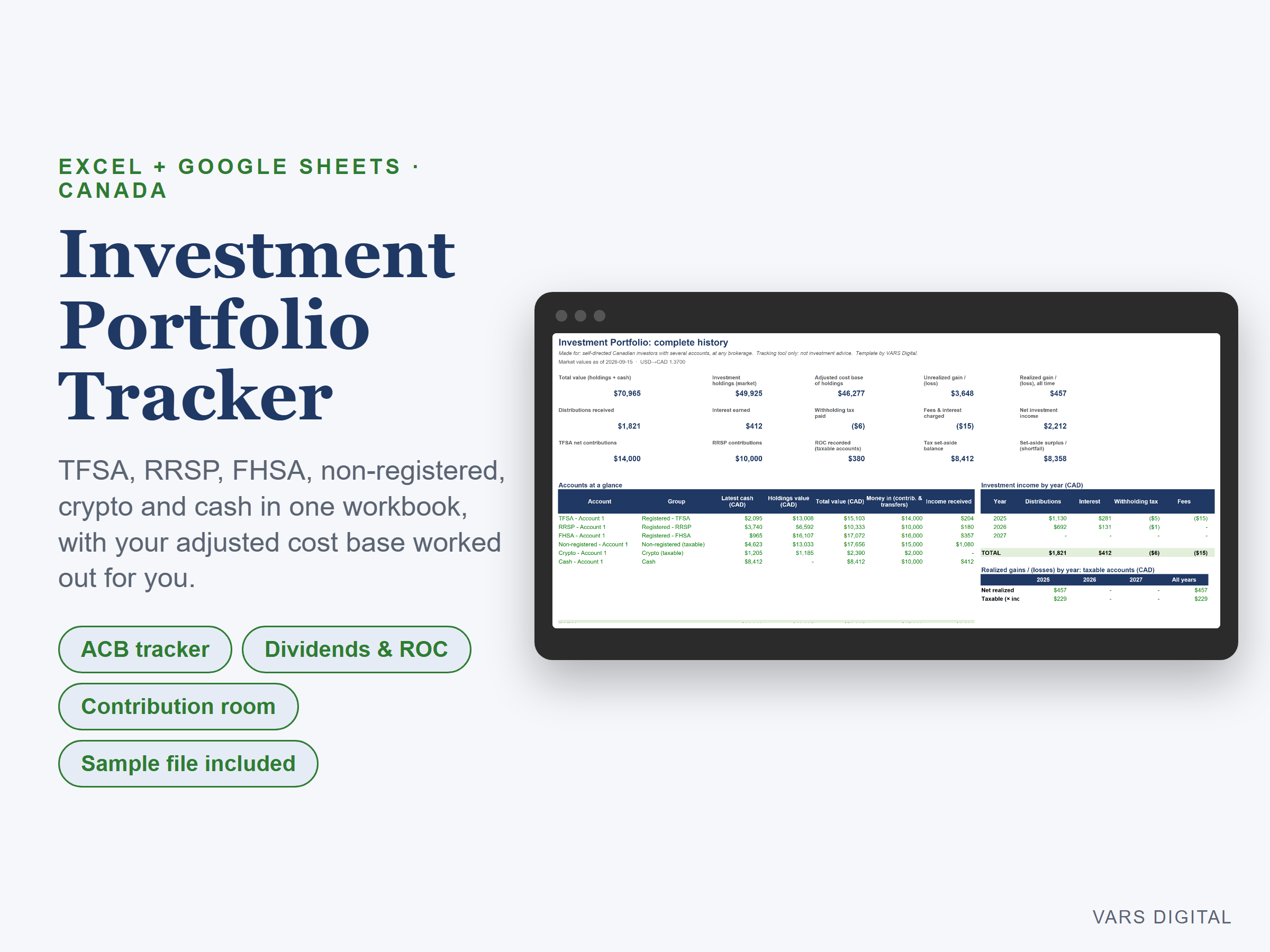
Investment Portfolio Tracker (Canada)
C$14.00
Buy now
Sales tax, VAT or GST is added at checkout where it applies.
Also sold in our Etsy shop: view on Etsy
Investment tracker spreadsheet for Canadian investors with several accounts. Log each statement line once and see holdings, adjusted cost base (ACB), income, contributions and tax records for every TFSA, RRSP, FHSA, non-registered, crypto and cash account, at any brokerage.
WHAT IT DOES
- Dashboard: total value, holdings at market, ACB, unrealized and realized gains, distributions, interest, withholding tax, fees, contributions, accounts at a glance and two charts
- Adjusted cost base (average cost, per account): buys with fees, sells, return of capital, reinvested distributions, stock splits and crypto fees. Units held, ACB per unit and realized gain or loss for every holding
- Market value and total return per holding from the prices you enter, with USD to CAD conversion
- Income by month and by year: distributions by account, interest, foreign withholding tax and fees
- Tax records for you and your tax preparer: taxable distributions split into return of capital and the rest, realized capital gains by account and year, a set-aside estimate, and TFSA, FHSA and RRSP contribution tracking with estimated room
- Cash flow: money moved into and out of each account by month
- Up to 12 accounts, 600 transactions and 400 trade-ledger rows. Pick the first year shown and the yearly tables cover it and the next two
HOW IT WORKS
- Type each statement line on the Transactions tab with a simple type code (BUY, SELL, DIV, INT, ROC, SPLIT and more) from a drop-down
- Rows that change a holding also get a Trade Ledger row: type the holding's block number and the transaction number, and the ACB maths happens there
- Prices are typed in on the Prices tab (no live quotes), so update them whenever you want fresh market values
WHAT YOU GET
- Investment-Portfolio-Tracker.xlsx, filled with invented sample accounts and trades so you can see every tab working. Type your own data over it, or clear the blue input cells to start fresh
- Quick-start guide (PDF)
HOW YOU GET IT
Digital download. After checkout you get a download page right away, plus a receipt by email. Nothing is shipped.
COMPATIBILITY
- Microsoft Excel 2019 or newer, Microsoft 365 (Windows or Mac) and Excel for the web
- Google Sheets: upload the .xlsx to Google Drive, open it, then File > Save as Google Sheets
- Not for Excel 2016 or older (it uses MAXIFS). Needs a computer or tablet with a spreadsheet app. This is not an app
PLEASE NOTE
A tracking and record-keeping tool, not investment, tax or legal advice. ACB uses the average-cost method per account; superficial-loss rules, identical-property pooling across accounts, foreign tax credits and provincial tax are not modelled. Contribution limits and tax rates in the file are editable sample values, so confirm your room in your government online account and use your tax slips for filing. For personal use; please don't resell or share the file.
DISCLAIMER
This template is a planning tool and does not replace advice from a qualified or licensed professional (such as an accountant, financial advisor, lawyer or certified tradesperson). Check the results before you rely on them.
HOW IT WAS MADE
Designed by VARS Digital with AI-assisted tools. Every formula is checked before release.
QUESTIONS
Email varsdigitals@gmail.com and we'll help you get set up.