Mileage Log
C$8.00
Buy now
Sales tax, VAT or GST is added at checkout where it applies.
Also sold in our Etsy shop: view on Etsy
Mileage log spreadsheet to track every business trip: type the odometer readings or just the distance, mark each trip business or personal, and see your business distance and deductible amount (at the rate you type) by month, by vehicle and by purpose, with a dashboard for the year.
WHAT IT DOES
- Setup tab: year, business name (optional), distance unit (km or mi), your rate per km or mile, a start address (optional), up to 5 vehicles and up to 8 trip purposes (Client visit, Supplies, Delivery, Site visit, Bank/Post office and Other to start), all yours to rename. The lists become the drop-downs
- Trip Log tab: one row per trip with date, vehicle, from, to, purpose, business Y/N, odometer start and end, a typed distance if you don't use the odometer, round trip Y/N (doubles a typed one-way distance) and notes. Distance used and the deductible amount are worked out for you
- Built-in checks: an odometer end reading below the start turns red, and a Check column tells you about any row to fix (no distance, a missing date, a date outside the year)
- Monthly Summary tab: business distance, personal distance, total, business %, deductible amount and number of trips for all 12 months, with year totals, plus the same figures by vehicle and by purpose
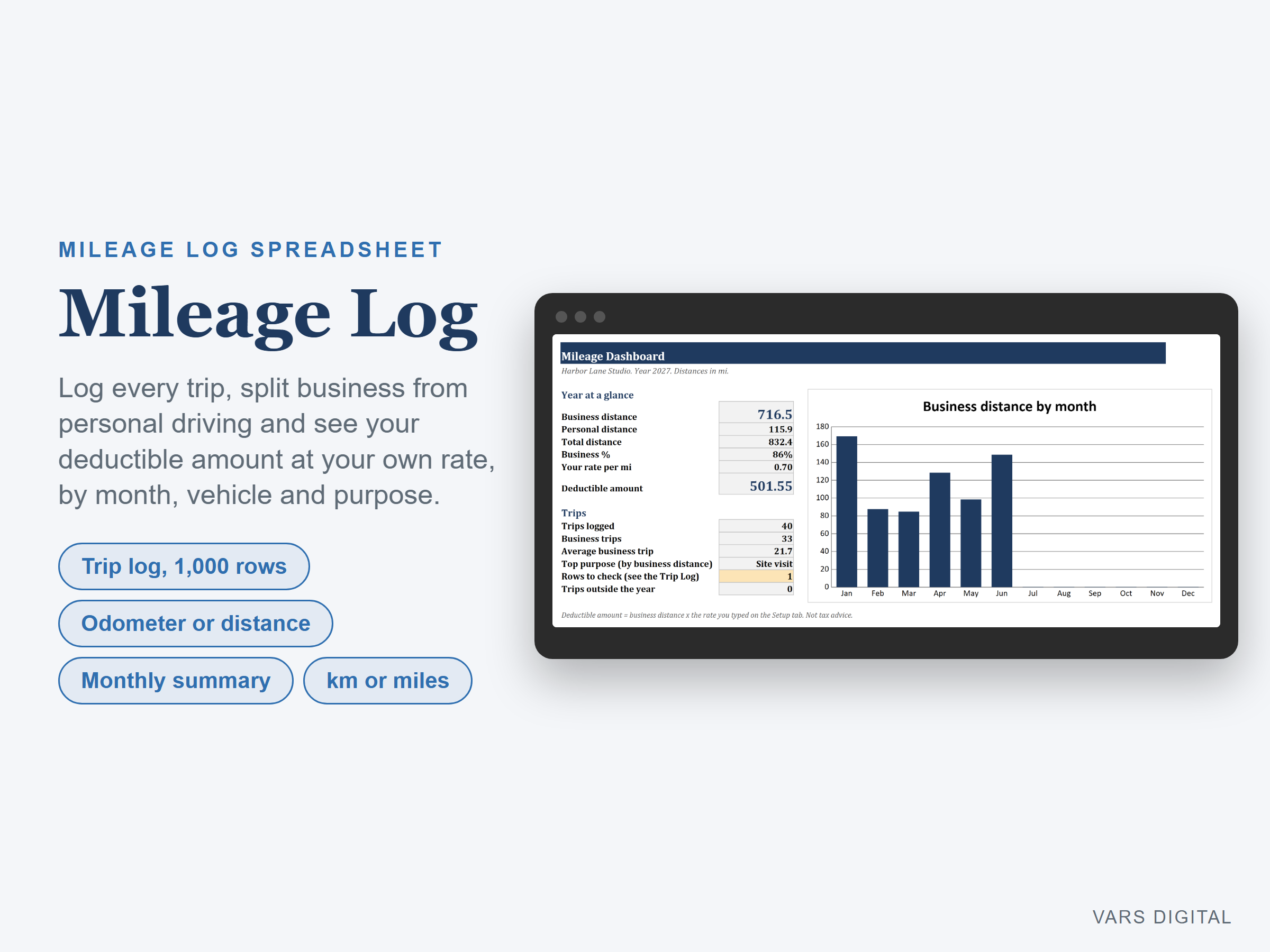
- Dashboard: business, personal and total distance, business %, your rate, total deductible amount, trips logged, business trips, average business trip, top purpose and a chart of business distance by month
- Room for 1,000 trips. The tabs are protected without a password, so formulas don't get typed over by accident (you can unprotect them any time)
WHAT YOU GET
- Mileage-Log.xlsx (blank, ready for your own trips)
- Mileage-Log-with-Sample-Data.xlsx (a filled-in example: a made-up small business with 40 trips from January to June in 2 vehicles, some of them personal)
- Quick-start guide (PDF)
HOW YOU GET IT
Digital download. After checkout you get a download page right away, plus a receipt by email. Nothing is shipped.
COMPATIBILITY
- Microsoft Excel 2016 or newer (Windows or Mac) and Excel for the web
- Google Sheets: upload the .xlsx to Google Drive, open it, then File > Save as Google Sheets
- Needs a computer or tablet with a spreadsheet app. This is not an app and it does not track your car by GPS: you type each trip
GOOD FOR
Self-employed people, freelancers, contractors, real estate agents, delivery drivers and small business owners who drive for work and want a clean mileage record for the year, in kilometres or miles.
PLEASE NOTE
- You type your own rate per km or mile. Mileage rates differ by country and usually change every year; the file does not include any official rate. The rate in the sample file is only an example
- For your own use; please don't resell or share the files
DISCLAIMER
This template is a record-keeping tool, not tax advice, and does not replace advice from a qualified or licensed professional (such as an accountant or tax advisor). Check your own country's mileage rules and rate with a qualified professional, and check your totals, before you rely on them.
HOW IT WAS MADE
Designed by VARS Digital with AI-assisted tools. Every formula is checked before release, and the sample file shows each tab working.
QUESTIONS
Email varsdigitals@gmail.com and we'll help you get set up.