Social Media Content Calendar
C$9.00
Buy now
Sales tax, VAT or GST is added at checkout where it applies.
Also sold in our Etsy shop: view on Etsy
Content calendar spreadsheet: plan every post for every social platform you post on in one list, see each month as a calendar, and track how each post performed after it goes out. Built for small businesses, creators and freelancers who plan their own content.
WHAT IT DOES
- Content Plan tab: publish date, day and week number (worked out for you), time, platform, content pillar, post type, title or topic, hook and caption notes, hashtags, call to action, link, status and owner
- Results after posting: reach or views, likes, comments, shares, saves, link clicks and follower change. The engagement rate (likes + comments + shares + saves divided by reach) works itself out and stays blank until you type a reach
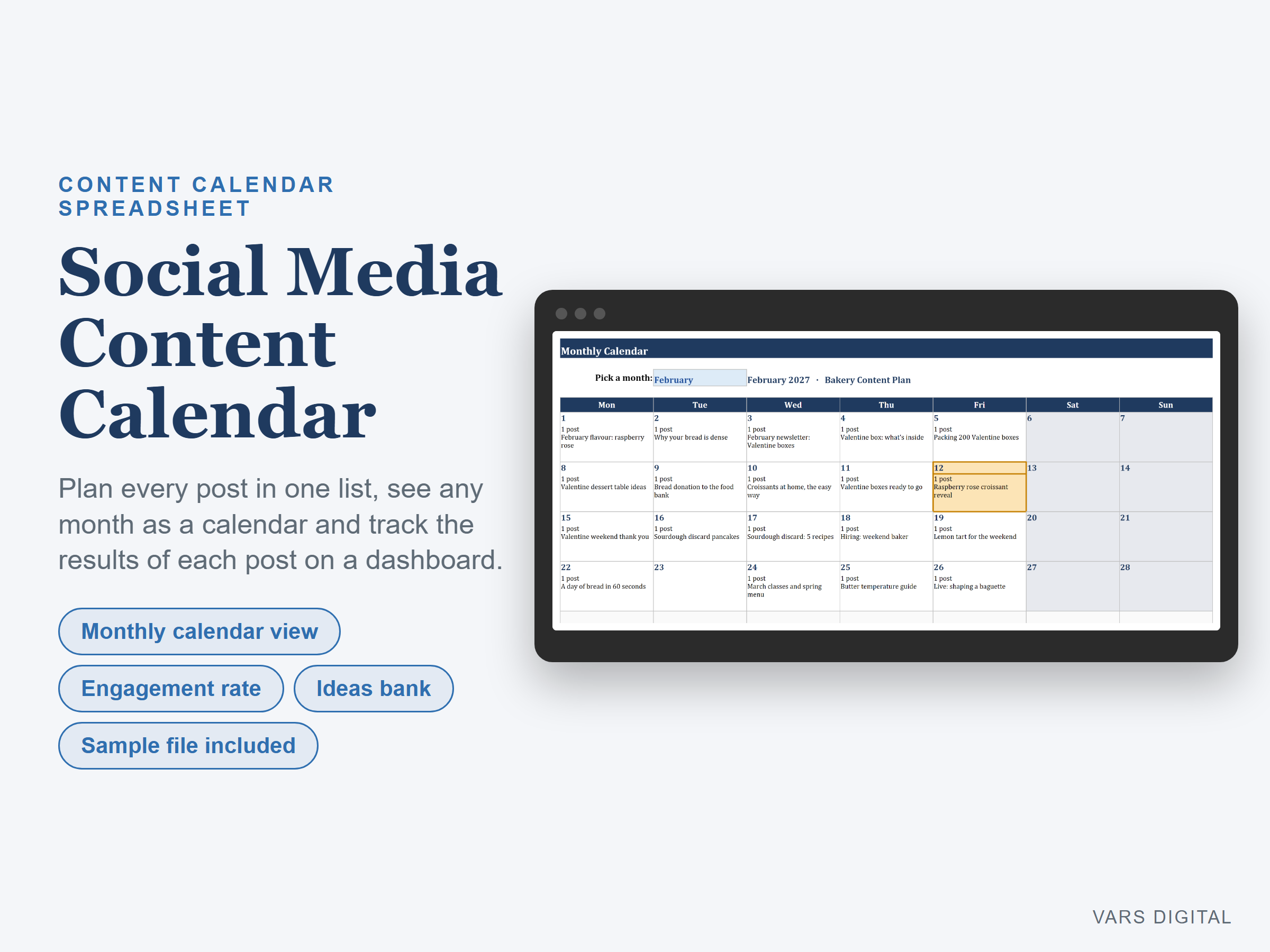
- Monthly Calendar tab: pick a month and each day shows how many posts are planned and the first post's title. Weekends are shaded and today is highlighted. Weeks start on Monday or Sunday, your choice
- Dashboard: posts planned and posted this year, still to post, overdue posts, posts and posting days this month, total reach, engagements, average engagement rate, link clicks and follower change
- Planned vs posted by month, as a table and a column chart
- Posts, posted posts and average engagement rate by platform (with a chart), by content pillar and by post type
- Top 5 posts by engagement rate
- Ideas Bank tab: idea, pillar, platform, priority, status and date added, with counts by status
- Setup tab: the year (2027 to start), week start and your own lists: platforms, content pillars, post types (reel or short video, carousel, image post, story, long video, blog post, newsletter, live), statuses (idea, drafting, ready, scheduled, posted) and owners. Every list feeds the drop-downs
- Room for 500 posts and 200 ideas. Posted rows turn green
WHAT YOU GET
- Content-Calendar.xlsx (blank)
- Content-Calendar-with-Sample-Data.xlsx (a filled-in example: 40 posts over two months for a small bakery, with results for the posted ones and 10 ideas)
- Quick-start guide (PDF)
HOW YOU GET IT
Digital download. After checkout you get a download page right away, plus a receipt by email. Nothing is shipped.
COMPATIBILITY
- Microsoft Excel 2016 or newer (Windows or Mac) and Excel for the web
- Google Sheets: upload the .xlsx to Google Drive, open it, then File > Save as Google Sheets
- Needs a computer or tablet with a spreadsheet app. This is not an app or a printable planner. It does not connect to any social platform, schedule or publish posts, or pull your results: you type the numbers from each platform's own insights page
GOOD FOR
Small business owners, creators, social media managers and freelancers who plan posts across several platforms and want one place to see the plan, the calendar and the results.
PLEASE NOTE
A planning and record-keeping tool. Results depend on the numbers you type. Licensed for use in your own business; please don't resell or share the files.
DISCLAIMER
This template is a planning tool and does not replace advice from a qualified or licensed professional (such as a marketing consultant or accountant). Check the results before you rely on them.
HOW IT WAS MADE
Designed by VARS Digital with AI-assisted tools. Every formula is checked before release, and the sample file shows each tab working.
QUESTIONS
Email varsdigitals@gmail.com and we'll help you get set up.