Subscription Tracker
C$8.00
Buy now
Sales tax, VAT or GST is added at checkout where it applies.
Also sold in our Etsy shop: view on Etsy
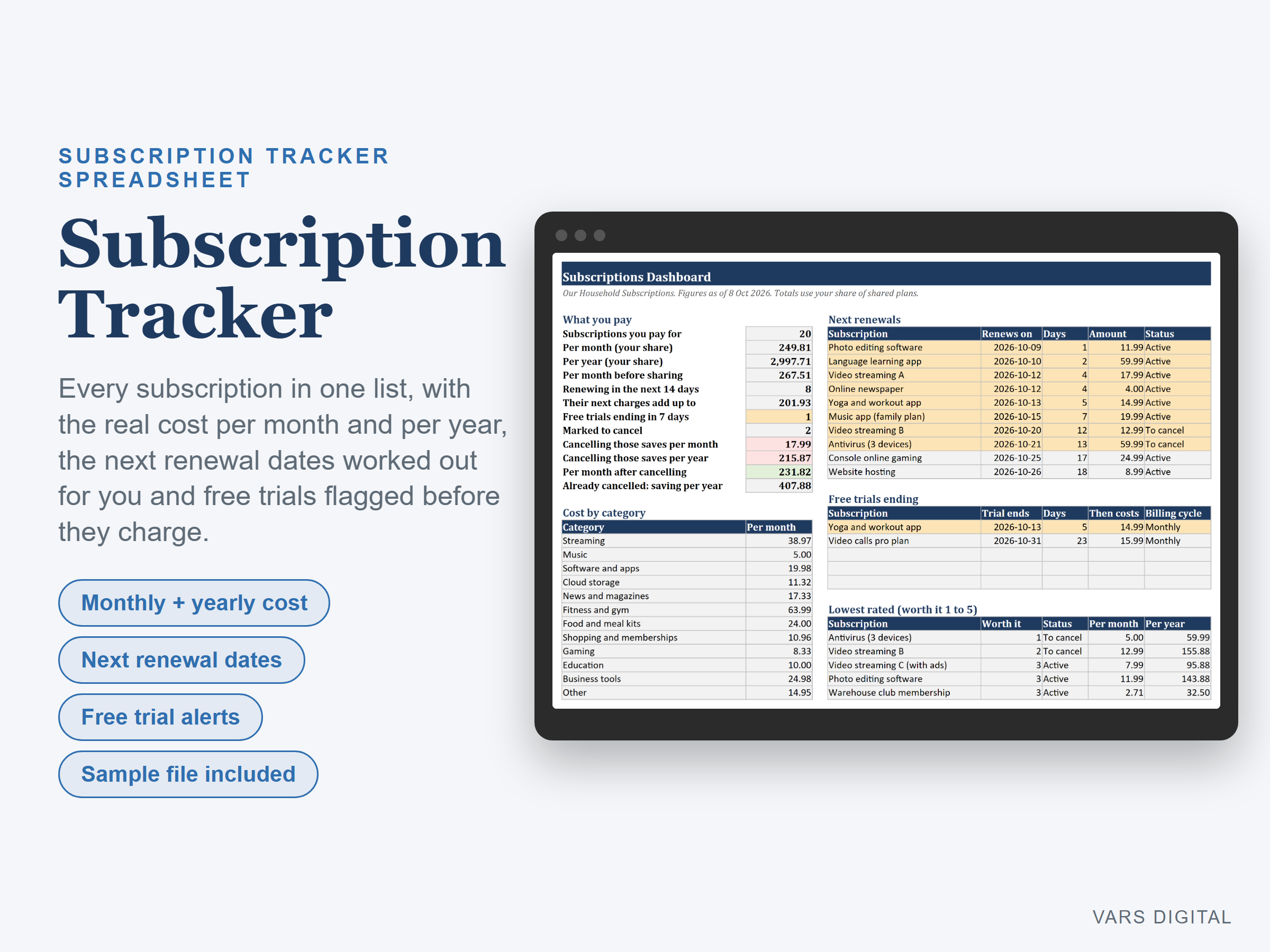
Subscription tracker spreadsheet: list every subscription you pay for in one place and see what it really costs you each month and each year. The sheet works out each next renewal date for you, flags renewals and free trials coming up soon, and shows what you would save by cancelling the ones you don't use.
WHAT IT DOES
- Subscriptions tab: name, category, status, cost per charge, billing cycle, start date, free trial end date, payment method, how many people share it, login notes (no passwords), a worth-it rating from 1 to 5 and notes
- Any billing cycle: weekly, monthly, quarterly, every 6 months or yearly, each turned into a cost per month and per year. Add your own cycles (every 2 or 4 weeks) on the Settings tab
- Next renewal date worked out from the start date or the free trial end date and rolled forward automatically, with the days left. Type a known renewal date from your account page to override it. Renewals inside your window (14 days to start) turn amber
- Free trials: type the trial end date and the tracker warns you before the first charge (7 days to start)
- Shared plans: type how many people split the cost and the totals use your share
- Statuses: Active, To cancel, Paused and Cancelled. Rename them or add your own and choose which ones still count as paying
- Dashboard: subscriptions you pay for, total per month and per year, how many renew in the next 14 days and what their next charges add up to, free trials ending soon, what cancelling the ones marked To cancel would save per month and per year, and what your cancelled ones save per year
- Lists on the dashboard: the next 10 renewals in date order, the next free trials to end and your 5 lowest-rated subscriptions
- Cost by category table and chart, with 12 starter categories (streaming, music, software and apps, cloud storage, news, fitness, meal kits, memberships, gaming, education, business tools, other) you can rename
- Room for 100 subscriptions. Amounts are plain numbers, so any currency works
WHAT YOU GET
- Subscription-Tracker.xlsx (blank)
- Subscription-Tracker-with-Sample-Data.xlsx (a filled-in example: 24 subscriptions, including paused, to-cancel and cancelled ones and two free trials)
- Quick-start guide (PDF)
HOW YOU GET IT
Digital download. After checkout you get a download page right away, plus a receipt by email. Nothing is shipped.
COMPATIBILITY
- Microsoft Excel 2016 or newer (Windows or Mac) and Excel for the web
- Google Sheets: upload the .xlsx to Google Drive, open it, then File > Save as Google Sheets
- Needs a computer or tablet with a spreadsheet app. This is not an app or a printable planner. It does not connect to your bank, send reminders or cancel anything for you
GOOD FOR
Households and individuals who want to see every streaming, app, software, gym, box and membership subscription in one place, and freelancers keeping track of business software.
PLEASE NOTE
A record-keeping tool, not financial advice. Check the dates and prices with each provider. For your own personal use; please don't resell or share the files.
DISCLAIMER
This template is a planning tool and does not replace advice from a qualified or licensed professional (such as a financial advisor or accountant). Check the results before you rely on them.
HOW IT WAS MADE
Designed by VARS Digital with AI-assisted tools. Every formula is checked before release, and the sample file shows each tab working.
QUESTIONS
Email varsdigitals@gmail.com and we'll help you get set up.