Task Tracker Spreadsheet
C$8.00
Buy now
Sales tax, VAT or GST is added at checkout where it applies.
Also sold in our Etsy shop: view on Etsy
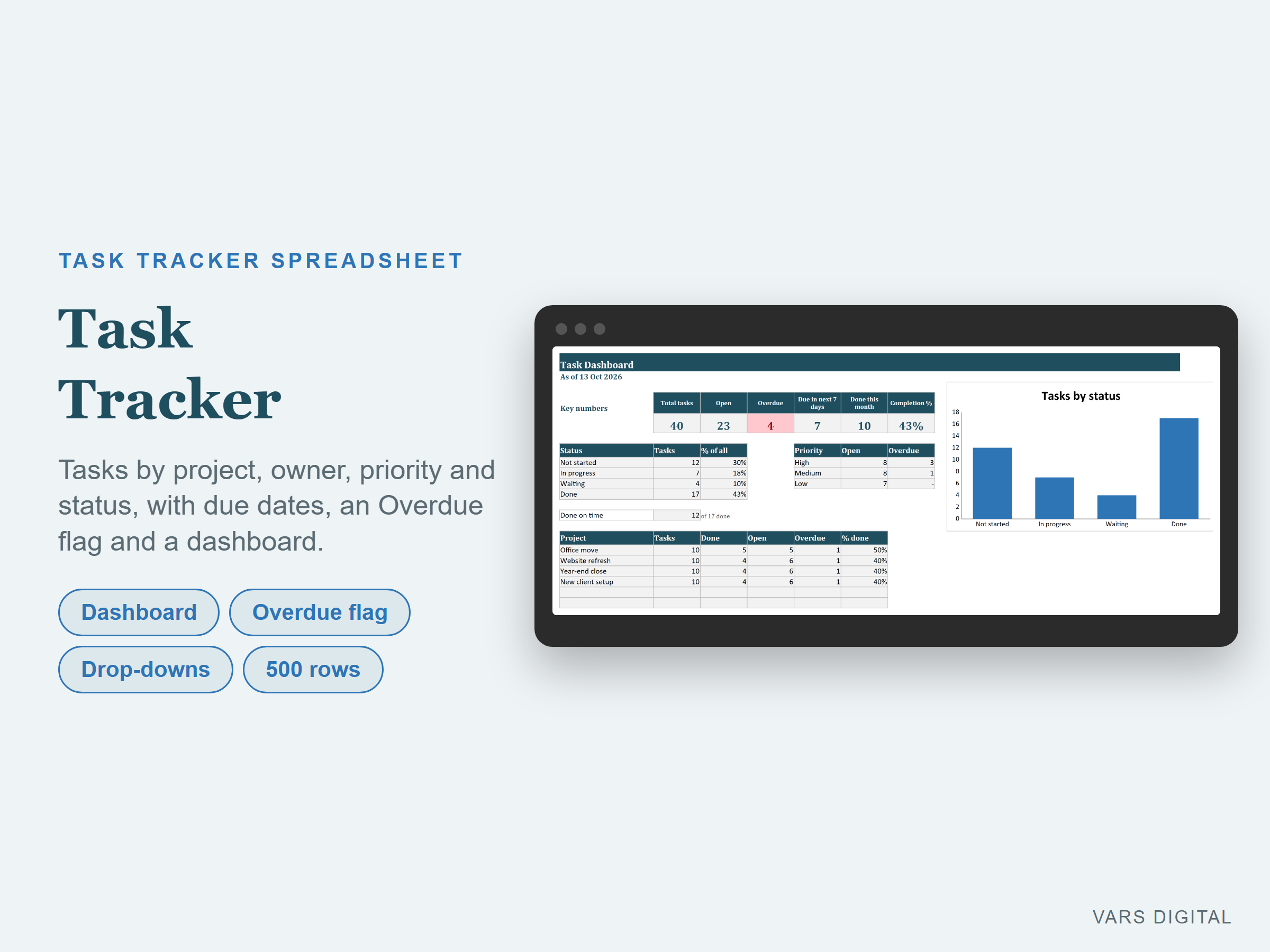
Task tracker Excel spreadsheet, also for Google Sheets, for people and small teams: one row per task with the project, owner, priority, status and due date, an Overdue flag that uses today's date, and a dashboard that shows where every project stands.
WHAT IT DOES
- Setup tab: type up to 15 projects or categories and up to 10 people. The statuses (Not started, In progress, Waiting, Done) and priorities (High, Medium, Low) can be renamed
- Tasks tab: one row per task with the task, project, owner, priority and status (drop-downs from your lists), start date, due date, done date and notes. Room for 500 tasks, with filter buttons on the header
- Days left counts down to the due date. A task that is not done and past its due date shows Overdue and the row turns red
- Set a task to Done and type the done date: the row turns grey and shows On time or Late against the due date
- Dashboard tab: total, open, overdue, due in the next 7 days, done this month and completion %; tasks by status; open and overdue tasks by priority; tasks done on time; tasks, done, open, overdue and % done for each project and each person; and a chart of tasks by status
- The tabs are protected without a password, so formulas don't get typed over by accident (you can unprotect them any time)
WHAT YOU GET
- Task-Tracker.xlsx (blank, ready for your tasks)
- Task-Tracker-with-Sample-Data.xlsx (a filled-in example: a made-up small office with 40 tasks across 4 projects and 3 people, some done, some open and a few overdue)
- Quick-start guide (PDF)
HOW YOU GET IT
Digital download. After checkout you get a download page right away, plus a receipt by email. Nothing is shipped.
COMPATIBILITY
- Microsoft Excel 2016 or newer
- LibreOffice Calc (tested)
- Google Sheets: upload the .xlsx to Google Drive, open it, then File > Save as Google Sheets
- Needs a computer or tablet with a spreadsheet app. This is not an app or a printable planner, and it does not send reminders: you type your tasks and open the file to see what is due
GOOD FOR
Anyone who keeps a work to-do list in Excel, small offices and teams sharing out tasks across a few projects, and freelancers tracking client work and due dates.
PLEASE NOTE
- Overdue, days left, due in the next 7 days and done this month use today's date, so they change from day to day
- Done this month and On time or Late need the done date
- The counts come from what you type, so keep the status and dates up to date
- For your own use; please don't resell or share the files
DISCLAIMER
This template is a planning tool and does not replace advice from a qualified or licensed professional (such as an accountant, financial advisor, lawyer or certified tradesperson). Check the results before you rely on them.
HOW IT WAS MADE
Designed by VARS Digital with AI-assisted tools. Every formula is checked before release, and the sample file shows each tab working.
QUESTIONS
Email varsdigitals@gmail.com and we'll help you get set up.