Worked Hours & Pay Tracker
C$9.00
Buy now
Sales tax, VAT or GST is added at checkout where it applies.
Also sold in our Etsy shop: view on Etsy
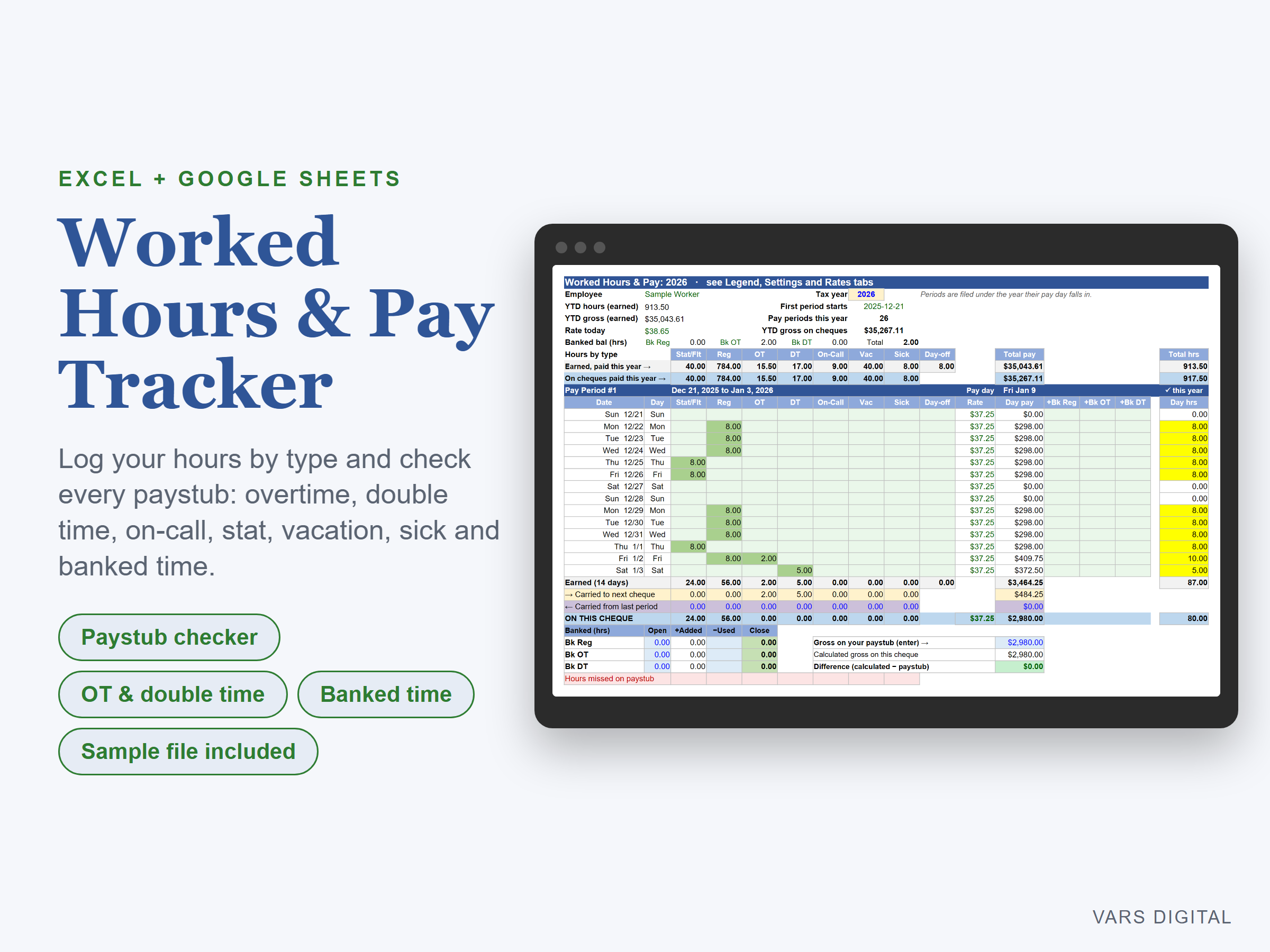
Timesheet template and paystub checker for hourly workers paid every two weeks. Type the hours you work each day by type, and the workbook shows what your next paystub should be, so you can spot a short cheque in seconds.
WHAT IT DOES
- Daily hours by type: regular, overtime, double time, on-call, stat or floater, vacation and sick, plus an unpaid day off
- Each pay period shows what you earned in the 14 days, what carries to the next cheque after the payroll cutoff, and what should be on this cheque
- Paystub check: type the gross from your stub and the difference turns red if it doesn't match. Note the missing hours on the same block
- Raises mid-period: each day uses the rate in effect on that date, and carried hours keep the rate of the day you worked them
- Banked time: three banks (for example banked regular, OT and DT) with opening balance, hours added, hours used and closing balance
- Year-to-date summary at the top of every year tab: hours and gross earned, gross on cheques, today's rate and banked balances
- Periods are filed under the tax year their pay day falls in. Tabs for 2026 to 2030, plus a blank year you can copy
FITS YOUR PAYSTUB
- Rename the seven hour types to match your stub (for example "Shift premium" or "Call-back") and set each pay multiplier and how many days carry to the next cheque
- Split your rate into base, premium and differential, or enter one number
- Good for trades crews (union or non-union), shift workers and on-call staff
WHAT YOU GET
- Worked-Hours-Pay-Tracker.xlsx. The 2026 tab is filled with an invented sample worker so you can see every feature (including one short paystub flagged red). Clear the sample cells to start; the 2027 to 2030 tabs are empty
- Quick-start guide (PDF)
HOW YOU GET IT
Digital download. After checkout you get a download page right away, plus a receipt by email. Nothing is shipped.
COMPATIBILITY
- Microsoft Excel 2019 or newer, Microsoft 365 (Windows or Mac) and Excel for the web
- Google Sheets: upload the .xlsx to Google Drive, open it, then File > Save as Google Sheets
- Not for Excel 2016 or older (it uses MAXIFS). Needs a computer or tablet with a spreadsheet app
PLEASE NOTE
Bi-weekly (14-day) pay periods only; weekly and semi-monthly payrolls are not covered. A tracking tool, not payroll, tax or legal advice. Multipliers, cutoff days and the banked-time year-end rule are editable sample settings: your employment standards, contract or collective agreement decides the real rules. For personal use; please don't resell or share the file.
DISCLAIMER
This template is a planning tool and does not replace advice from a qualified or licensed professional (such as an accountant, financial advisor, lawyer or certified tradesperson). Check the results before you rely on them.
HOW IT WAS MADE
Designed by VARS Digital with AI-assisted tools. Every formula is checked before release.
QUESTIONS
Email varsdigitals@gmail.com and we'll help you get set up.